
Before Lab 3.1 — Pipeline Identity and Secure Delivery
Before Lab 3.1 — Pipeline Identity and Secure Delivery
In Days 1 and 2, you secured the infrastructure and network. Today you'll learn how to deliver application code securely through a pipeline.
What is a delivery pipeline?
A delivery pipeline automates the path from source code to running application:
Without a pipeline, developers deploy manually from their laptops. This creates risks:
| Manual Deployment | Pipeline Deployment |
|---|---|
| No record of what was deployed | Every deployment is logged and traceable |
| No proof tests ran | Tests must pass before deployment proceeds |
| Developer needs deployment permissions | Service connection uses least-privilege access |
| Rebuilding code on different machines | Same artifact built once and promoted |
CI/CD threat model: What can go wrong?
Pipelines automate deployment, but they also become high-value attack targets. A compromised pipeline can deploy malicious code to production.
Common pipeline attack vectors
Threat scenarios and mitigations
| Threat | Example | Mitigation |
|---|---|---|
| Compromised developer account | Attacker gains access to Azure DevOps account, pushes malicious commit | Require MFA, branch protection policies, pull request reviews |
| Service connection credential theft | Pipeline service principal credentials leaked, attacker deploys directly to production | Use short-lived credentials, scope to specific resources, monitor for unauthorized access |
| Malicious dependency injection | Supply chain attack via compromised npm package (e.g., event-stream incident) | Dependency scanning (Trivy), lock files, private registry mirroring |
| Pipeline configuration tampering | Attacker modifies azure-pipelines.yml to skip security scans | Protect pipeline files with branch policies, require reviews for YAML changes |
| Secret exposure in logs | API key printed in pipeline logs visible to all team members | Use Azure DevOps secret variables, never log credentials, scan logs for accidental exposure |
| Lateral movement from pipeline | Compromised pipeline uses over-privileged service connection to access unrelated resources | Least privilege for service connections, network segmentation, separate identities per environment |
Real-world incidents
SolarWinds (2020): Attackers compromised the build pipeline and injected malicious code into signed software updates, affecting thousands of organizations.
CodeCov (2021): Bash Uploader script in CI/CD pipelines was modified to exfiltrate environment variables, exposing secrets from hundreds of customer pipelines.
Lesson: Pipelines are critical infrastructure. Secure them with the same rigor as production systems.
Service connection vs managed identity
This is a critical distinction:
Service connection = The Azure DevOps service principal
Managed identity = The identity assigned to the App Service
Service connection needs permissions to:
- Deploy code to App Service
- Update App Service configuration
- Read from Key Vault (for deployment-time secrets)
Managed identity needs permissions to:
- Read from Key Vault (for runtime secrets)
- Query Table Storage
- Call other Azure services
These should be different identities with different scopes.
Setting up Azure DevOps
Before you can build a pipeline, you need an Azure DevOps organization and project.
Azure DevOps organization
An organization is the top-level container in Azure DevOps. It's tied to your Azure AD tenant and can contain multiple projects.
To create one:
- Navigate to https://dev.azure.com
- Sign in with your Azure account (same credentials as Azure Portal)
- Click "Create new organization" or "Start free"
- Choose a globally unique organization name (e.g.,
cloudsec-yourname)
Free tier
Azure DevOps provides free tier for up to 5 users with unlimited private repositories and 1,800 pipeline minutes per month. Perfect for learning and small teams.
Azure DevOps project
A project contains your Git repositories, pipelines, boards, and other resources.
Create a project:
- In your organization, click "New project"
- Project name:
cloudsec-course(or your preferred name) - Visibility: Private (recommended for course materials)
- Version control: Git
- Work item process: Agile (default)
Importing the repository
Warning
Make sure to provide proper credentials use an SSH key, by asdding an SSH key to your user settings. For devops you need an RSA key: ssh-keygen -t rsa
Make sure to add the key to the ssh config file:
nano (or vi) ~/.ssh/configAdd the following entry:
Host ssh.dev.azure.com
  User git
  IdentityFile C:\Users\<username>\.ssh\<key> # or the path you used to store your key
Push from local clone
If you already have the course repository cloned:
# In your local repository
rm.exe -rf .git
git init
git add .
git commit -m "Initial commit"
git remote add origin https://dev.azure.com/<org>/<project>/_git/<repo>
git push azure main
Verifying the repository
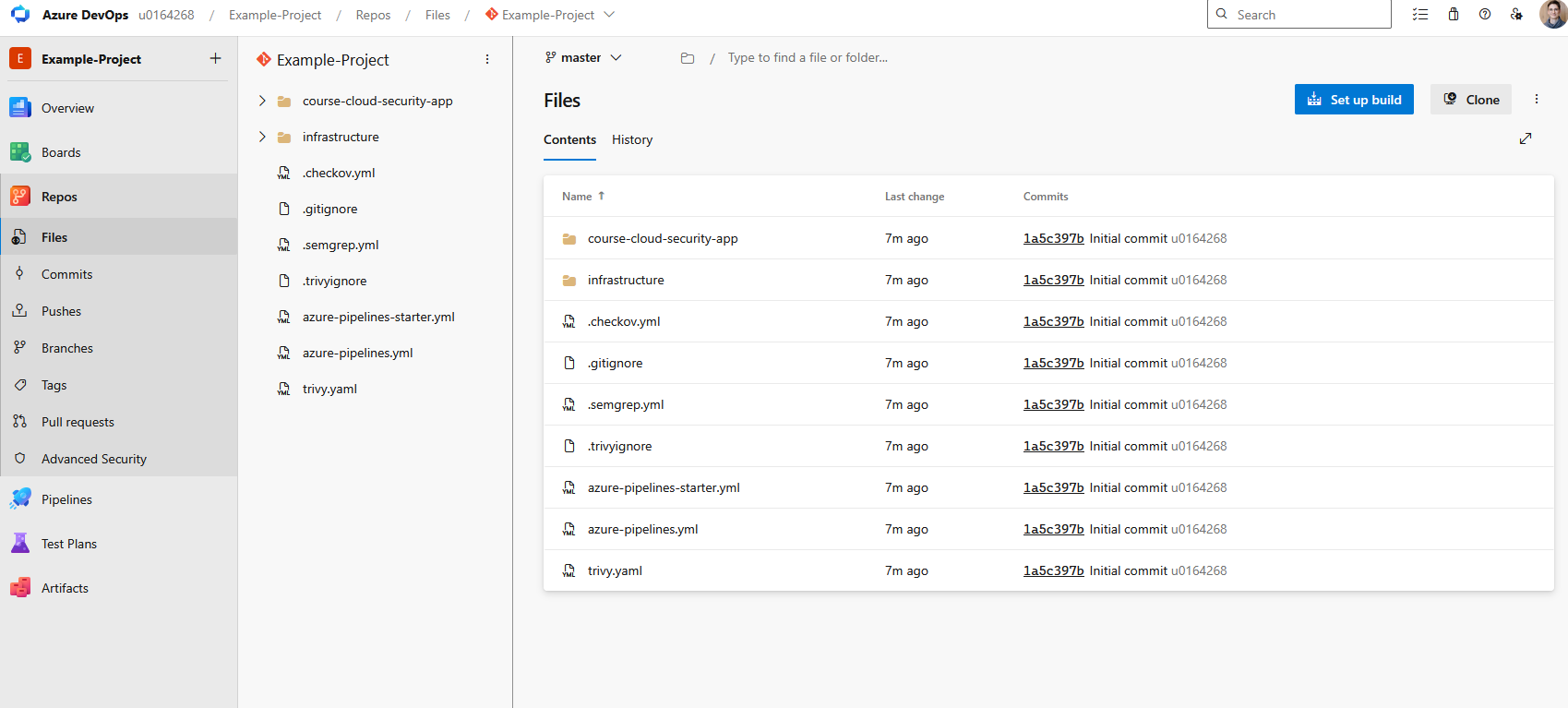
After import, your Azure DevOps repository should contain:
azure-pipelines.yml(in root)course-cloud-security-app/directoryinfrastructure/directory- Security scan configs (
.semgrep.yml,trivy.yaml,.checkov.yml)
Azure DevOps service connections
A service connection is how Azure DevOps authenticates to Azure.
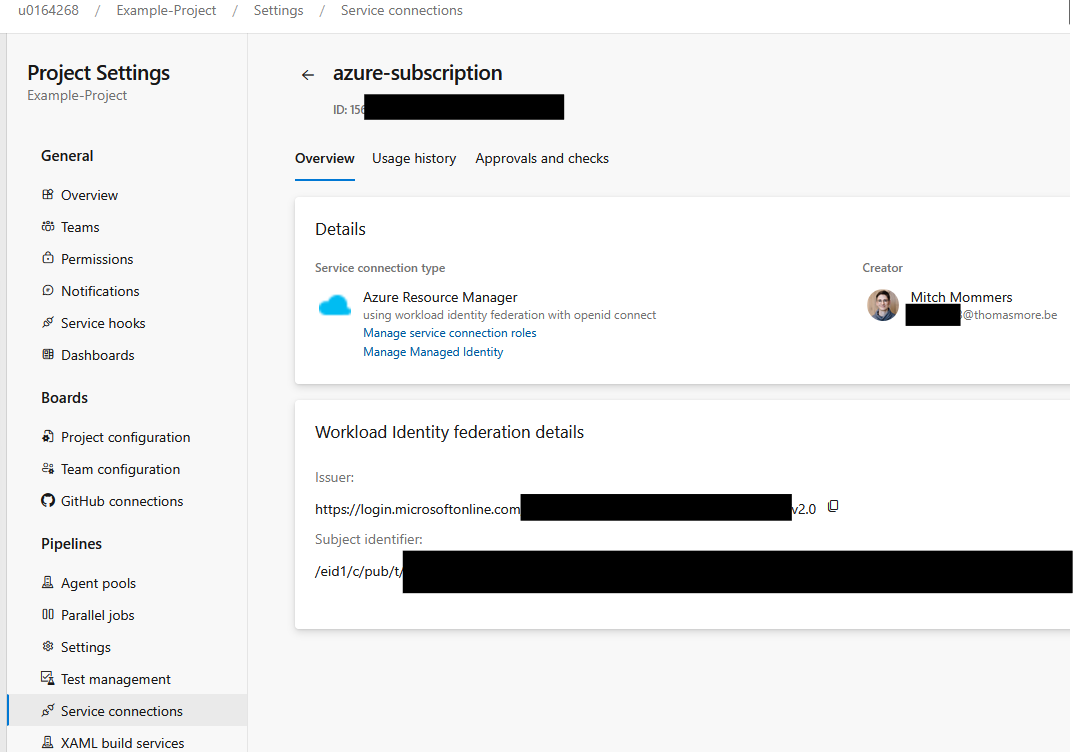
Behind every service connection is a service principal — an Azure AD identity representing an application (not a user). Service principals have RBAC role assignments just like users, but they authenticate with client secrets or certificates instead of passwords.
Service Principal vs Managed Identity
- Service principal: Application identity you create manually, manage credentials
- Managed identity: Azure-managed service principal for Azure resources (no credential management)
Azure DevOps service connections typically use service principals because managed identities only work for Azure-hosted resources.
Do not give Contributor on the whole subscription
Students sometimes create service connections with subscription-level Contributor just because it's easier. This violates least privilege.
Scope the service connection to:
- The specific resource group
- The specific resources (App Service, Key Vault)
- The minimum required role (e.g., Website Contributor, not Contributor)
For testing we will grant Contributor and User Access Administrator to the resource-group.
Secret handling in pipelines
Pipelines often need secrets (API keys, connection strings, certificates). Where should these secrets live?
The cardinal rule: Never commit secrets
Caution
NEVER commit to source control:
- API keys
- Database connection strings
- Service principal credentials
- Certificates
- .env files with production values
Why? Git history is permanent. Even if you delete a secret in a later commit, it remains in the repository history forever.
Tips
That is a half-truth you can use tools like: BFG Repo-Cleaner or git filter-branch to remove specific data from a git history. BFG is recommended as it's way faster.
Where secrets should live
| Secret Type | Storage Location | Accessed By |
|---|---|---|
| Pipeline secrets (build-time) | Azure DevOps Library / GitHub Secrets | Build pipeline |
| Application secrets (runtime) | Azure Key Vault | Managed identity (App Service) |
| Service connection credentials | Azure DevOps Service Connection | Pipeline tasks |
| Environment-specific config | Azure App Configuration or Key Vault | Application at runtime |
Identity separation: Build vs Deploy vs Runtime
Key principle: The build pipeline should not have access to production secrets. Why?
- A compromised build script cannot exfiltrate production credentials
- Failed builds cannot accidentally leak secrets in logs
- Developers with repository access cannot extract production secrets
Azure DevOps secret variables
For build-time secrets (e.g., npm registry token, SonarQube API key):
variables:
  - group: 'build-secrets'  # Azure DevOps Library variable group

steps:
  - script: |
      npm config set //registry.npmjs.org/:_authToken $(NPM_TOKEN)
    displayName: 'Configure npm authentication'
    env:
      NPM_TOKEN: $(NPM_TOKEN)  # Marked as secret in variable group
Azure DevOps automatically masks secret variables in build logs.
Key Vault references in pipelines
For deployment-time configuration (e.g., connection strings for the App Service):
- task: AzureKeyVault@2
  inputs:
    azureSubscription: 'service-connection-name'
    KeyVaultName: 'kv-course-dev'
    SecretsFilter: 'DatabaseConnectionString'
  displayName: 'Fetch deployment config from Key Vault'

- task: AzureWebApp@1
  inputs:
    appName: 'app-course-dev'
    appSettings: |
      DATABASE_CONNECTION_STRING=$(DatabaseConnectionString)
The deployed application then reads secrets from Key Vault at runtime using its managed identity (not the service connection).
Never store secrets in build artifacts
BAD:  Build .env file with secrets → package → deploy
GOOD: Build artifact → deploy → load secrets from Key Vault at runtime
If secrets are baked into the artifact, anyone who downloads the artifact can extract them.
Critical questions for secret handling
| Question | Answer |
|---|---|
| Where should pipeline secrets live? | Azure DevOps Library / GitHub Secrets |
| What should never be committed? | API keys, connection strings, .env files with production values |
| Which identity reads build-time secrets? | Build pipeline service principal |
| Which identity deploys? | Deployment pipeline service principal |
| Can the build pipeline access production secrets? | No — violates least privilege and blast radius containment |
| Which identity reads runtime secrets? | Application managed identity |
Day 1 connection: You already used Key Vault in Day 1 to store database connection strings. Day 3 shows how the pipeline fetches deployment configuration from Key Vault without giving the build stage access to production secrets.
Build once, promote many
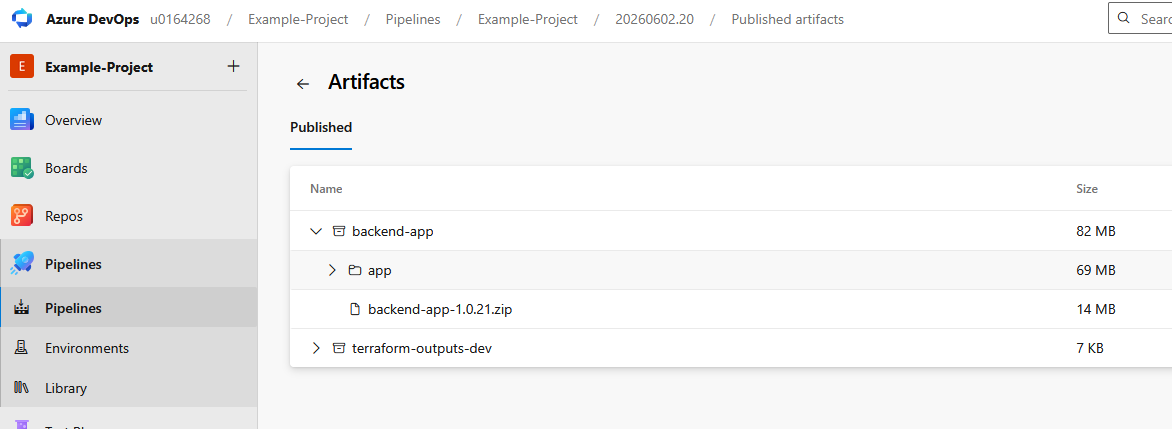
The pipeline builds the application once and deploys the same artifact to all environments:
Build:   git pull → npm install → build → publish artifact
Dev:     download artifact → deploy
Test:    download same artifact → deploy
Prod:    download same artifact → deploy
This ensures dev, test, and prod run identical code with locked dependencies. The alternative (rebuilding for each environment) risks dependency drift and makes traceability impossible.
What Lab 3.1 demonstrates
Lab 3.1 goals
Key questions before starting
- Who deploys the application: the developer, the pipeline, or the App Service?
- What permissions does the service connection need?
- What permissions does the managed identity need?
- Why is it risky to give the pipeline Contributor on the whole subscription?
Lab File
Download Lab 3.1 — Pipeline flow PDF