
Before Lab 2.3 — VNet, Subnets and Network Segmentation
Before Lab 2.3 — VNet, Subnets and Network Segmentation
In Lab 2.3, you will:
- Add VNet integration to the public backend
- Add an access restriction to the internal backend so that only the public backend can reach it
Virtual Network (VNet)
A VNet is a private network in Azure. Resources inside a VNet communicate without going through the public internet.
VNet
├── Subnet A (app integration)
│   └── Public Backend API
├── Subnet B (app integration)
│   └── Internal Backend Service
└── Subnet C (private endpoints)
    └── DB Storage Account private endpoint
Services are not inside a VNet by default — you must explicitly configure VNet integration.
Subnets
A subnet is a segment inside a VNet with its own CIDR range (e.g. 10.0.1.0/24). Subnets let you isolate groups of resources and apply different network rules to different parts of the environment.
VNet integration for App Services
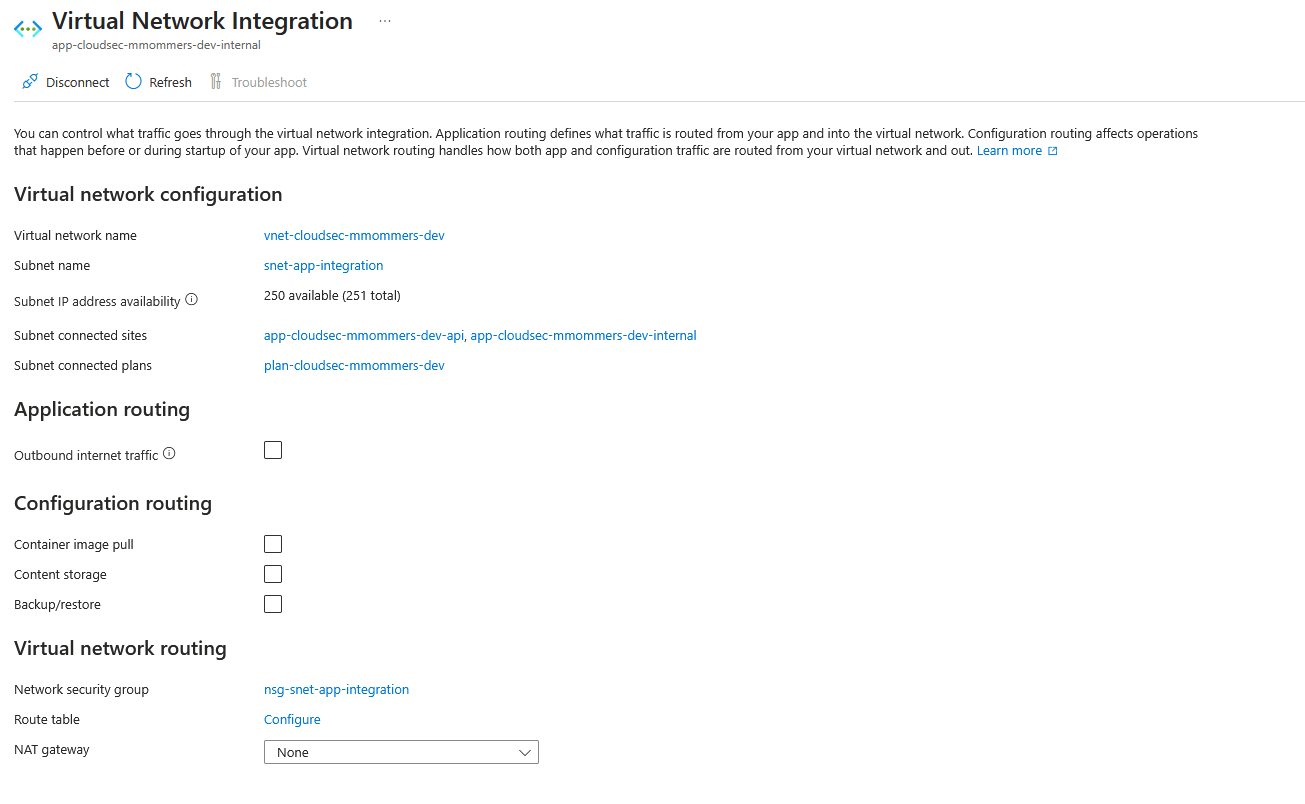
App Services support Regional VNet Integration, which routes outbound calls through a designated subnet inside your VNet.
In Lab 2.3, you will add VNet integration to the public backend API manually using the Azure Portal.
Info
In Web App you have seperate controls for the main site and the SCM part in which the Kudo console runs. This means that you can restrict all outgoing and incoming traffic for your internal-backend while still allowing the SCM build process to fetch data from e.g. NPM to obtain packages.
See Restrict Access To An SCM Site for more info.
App Service access restrictions
An App Service can restrict which source IPs are allowed to call it. Combined with VNet integration, this gives you:
Public internet → Internal Backend Service = blocked
Public Backend API (via VNet) → Internal Backend Service = allowed
That is the change Lab 2.3 makes. The application behaviour is unchanged — only the attack surface is smaller.
What to look for in Lab 2.3
Lab 2.3 checklist
Lab focus
The goal is not to block everything — it is to block the unexpected path while keeping the expected one working.