
Before Optional Lab 2.x — Azure Bastion Management Path
Before Optional Lab 2.x — Azure Bastion Management Path
In Lab 2.4 you disabled public network access on the DB storage account. Only resources inside the VNet can now reach it through the private endpoint.
A common concern after locking down a database is: how do administrators access it for troubleshooting or maintenance?
This optional lab answers that question by demonstrating the Azure Bastion management path.
What Azure Bastion is
Azure Bastion provides browser-based SSH and RDP access to virtual machines inside a VNet.
The connection goes through the Azure Portal over HTTPS. The VM does not need a public IP address. No inbound SSH or RDP port needs to be open to the internet.
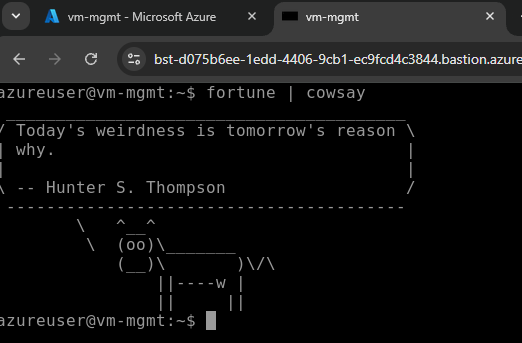
How this differs from a public SSH port
Traditional approach:
1. VM has a public IP address
2. NSG allows inbound SSH on port 22 from the internet
3. Admin SSH client connects directly to the public IP
4. Risk: SSH port exposed to brute-force attacks, credential stuffing
Azure Bastion approach:
1. VM has no public IP address
2. NSG allows inbound SSH/RDP only from the AzureBastionSubnet (10.0.10.0/27)
3. Admin connects via Azure Portal HTTPS
4. Bastion brokers the connection inside the VNet
5. Benefit: no SSH/RDP port exposed to the internet
The management path
Once connected to a management VM via Bastion, the VM can access private resources inside the VNet:
Key insight: Bastion is not used to access the DB storage account directly. Bastion is used to access a VM inside the VNet. That VM can then reach private resources.
Why NSG rules must allow Bastion traffic
The management VM subnet has an NSG attached (nsg-snet-private-endpoints). By default, NSGs block most inbound traffic.
For Bastion to reach the VM, the NSG must allow inbound SSH (port 22) or RDP (port 3389) from the AzureBastionSubnet CIDR (10.0.10.0/27).
NSG rule on nsg-snet-private-endpoints:

Source: 10.0.10.0/27 (AzureBastionSubnet)
Destination: 10.0.2.0/24 (private endpoints subnet)
Ports: 22, 3389
Action: Allow
Without this rule, Bastion connections fail even though Bastion itself is deployed and the connection shows "Connecting..." in the Portal.
Private DNS resolution inside the VNet
When the management VM queries the DB storage account hostname, DNS resolution behaves differently than from your laptop:
| Location | DNS query for stdb...table.core.windows.net | Result |
|---|---|---|
| Your laptop | Public DNS | Public IP (unreachable if public access disabled) |
| Management VM inside VNet | Azure Private DNS | Private IP 10.0.2.x |
This is why the VM can reach the private endpoint even when public access is disabled.

Managed identity for credential-free authentication
In Lab 2.x you will enable a system-assigned managed identity on the management VM. This allows the VM to authenticate to Azure services without storing credentials.
Traditional approach:
1. Create a service principal
2. Generate a client secret
3. Store the secret on the VM
4. Risk: credential theft, rotation burden

Managed identity approach:
1. Enable managed identity on the VM
2. Grant the identity RBAC permissions
3. VM uses az login --identity
4. Benefit: no credentials to manage or steal
The managed identity in this lab gets the Storage Table Data Reader role on the DB storage account. This allows the VM to query tables using the Azure CLI — without a connection string, access key, or SAS token.
Bastion SKUs
| SKU | Cost | Features |
|---|---|---|
| Basic | ~$0.19/hour | Browser-based SSH/RDP only |
| Standard | ~$0.19/hour | Basic + tunneling for automation, shareable links, custom port support |
The hourly cost is the same. Standard SKU enables az network bastion tunnel for SSH/RDP over the Azure CLI — useful for automation and scripting.
What this lab demonstrates
Lab 2.x checklist
Check before starting
- Why is Azure Bastion more secure than opening SSH port 22 to the internet?
- What subnet CIDR must be used as the source in the NSG rule for Bastion connectivity?
- Why does the management VM need a managed identity to query Table Storage?
- What DNS zone resolves the storage account hostname to a private IP?